
Pachino is an independent product I designed and built in SwiftUI for iOS and macOS. I wanted a Pomodoro timer that felt at home on both platforms and stayed out of the way while I worked.
Context and Role
I learn by making things. Pachino grew from a simple principle:
Make something useful, and learn what it takes.
Rather than start with a programming language or tool, I chose a daily task I could improve. A focus timer was small enough to build independently and useful enough to keep testing through my own routine.
My work covered the timer interactions, platform-specific interfaces, generative visuals, ambient audio experience, and native implementation.
The name comes from Pachino, a tomato grown on the southeast coast of Sicily—a nod to the Pomodoro Technique.
Keep the Timer Quiet and Predictable
The first design rule was restraint: a useful tool should be quiet until it is needed. I kept controls in predictable places and gave the countdown a clear, consistent structure.
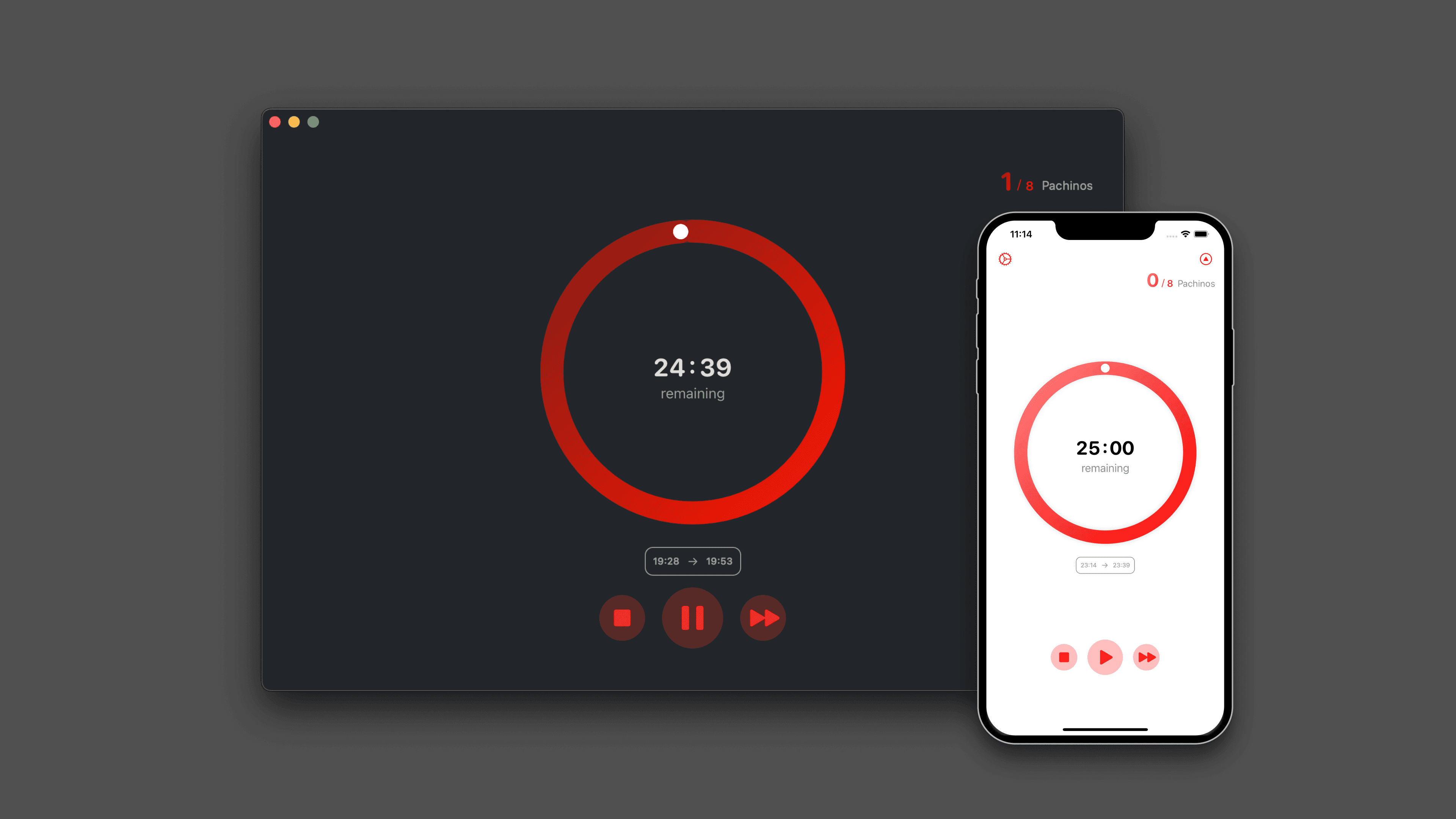
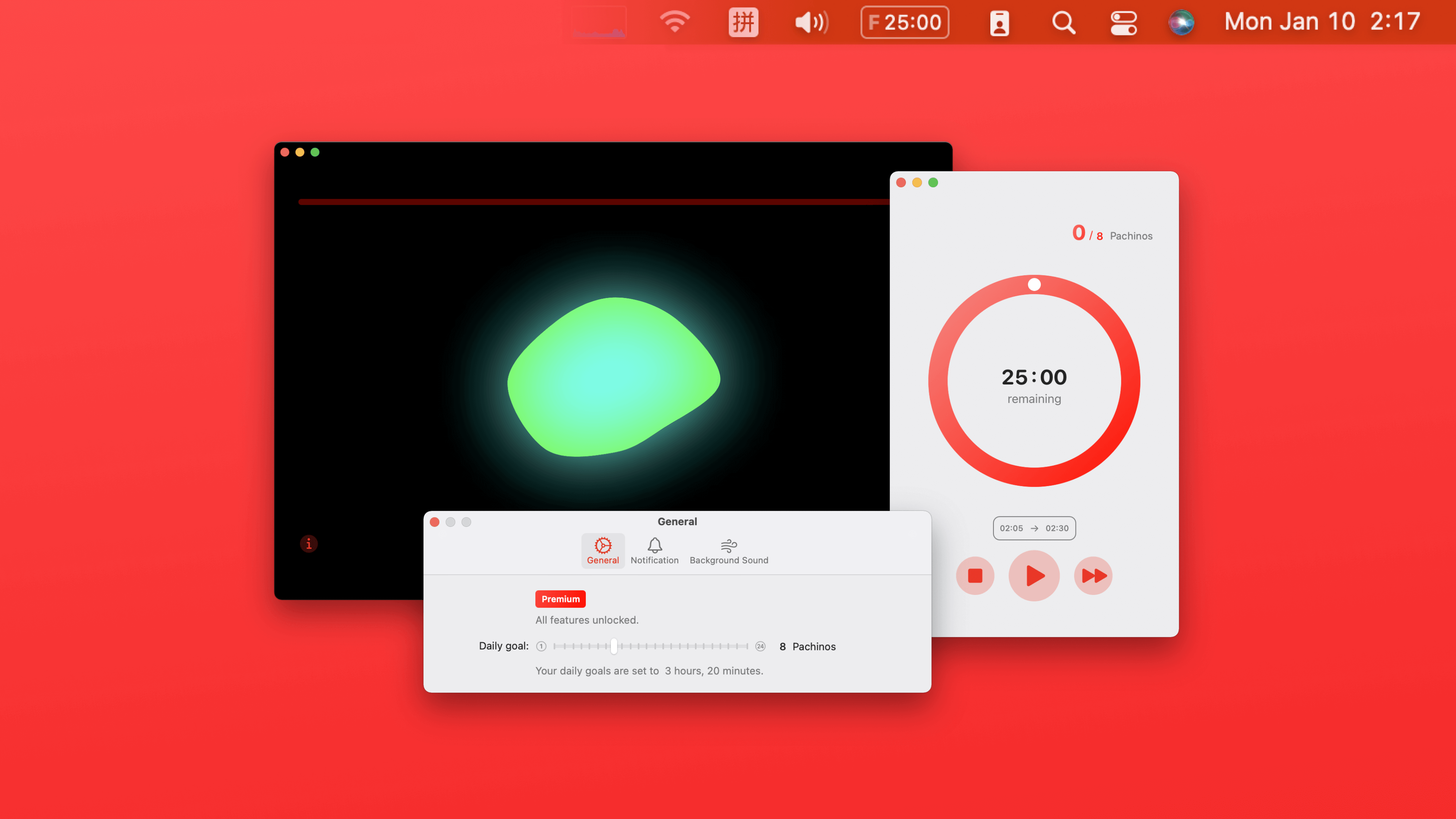
Show When a Session Will End
A 25-minute focus session can collide with a scheduled meeting. I added an end-time indicator so people could see when a session would finish before starting it. The indicator stays secondary to the countdown.
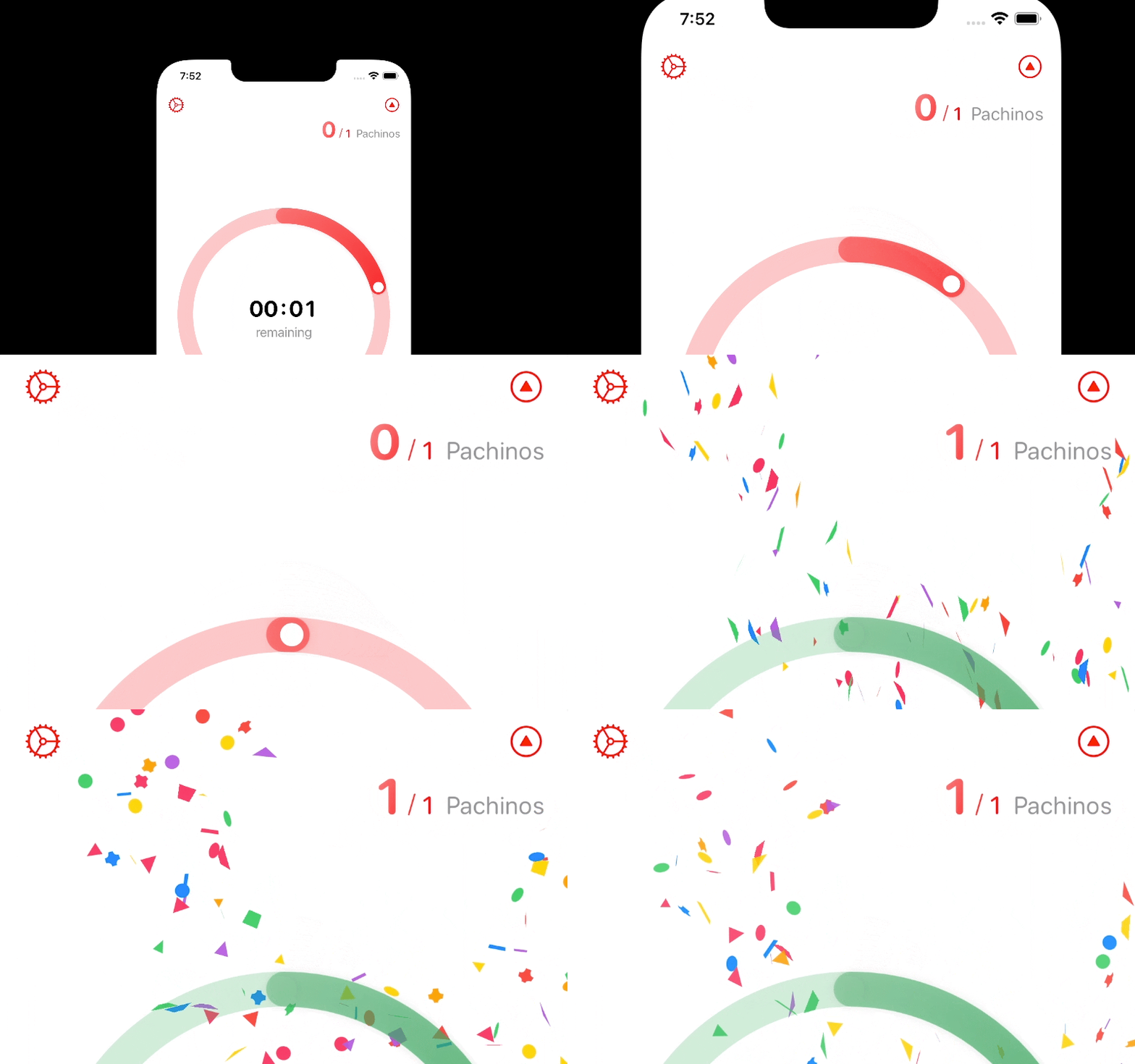
Make Daily Progress Visible
Daily goals give people a simple way to recognize their progress without adding another task to manage.
Give Breaks a Different Atmosphere
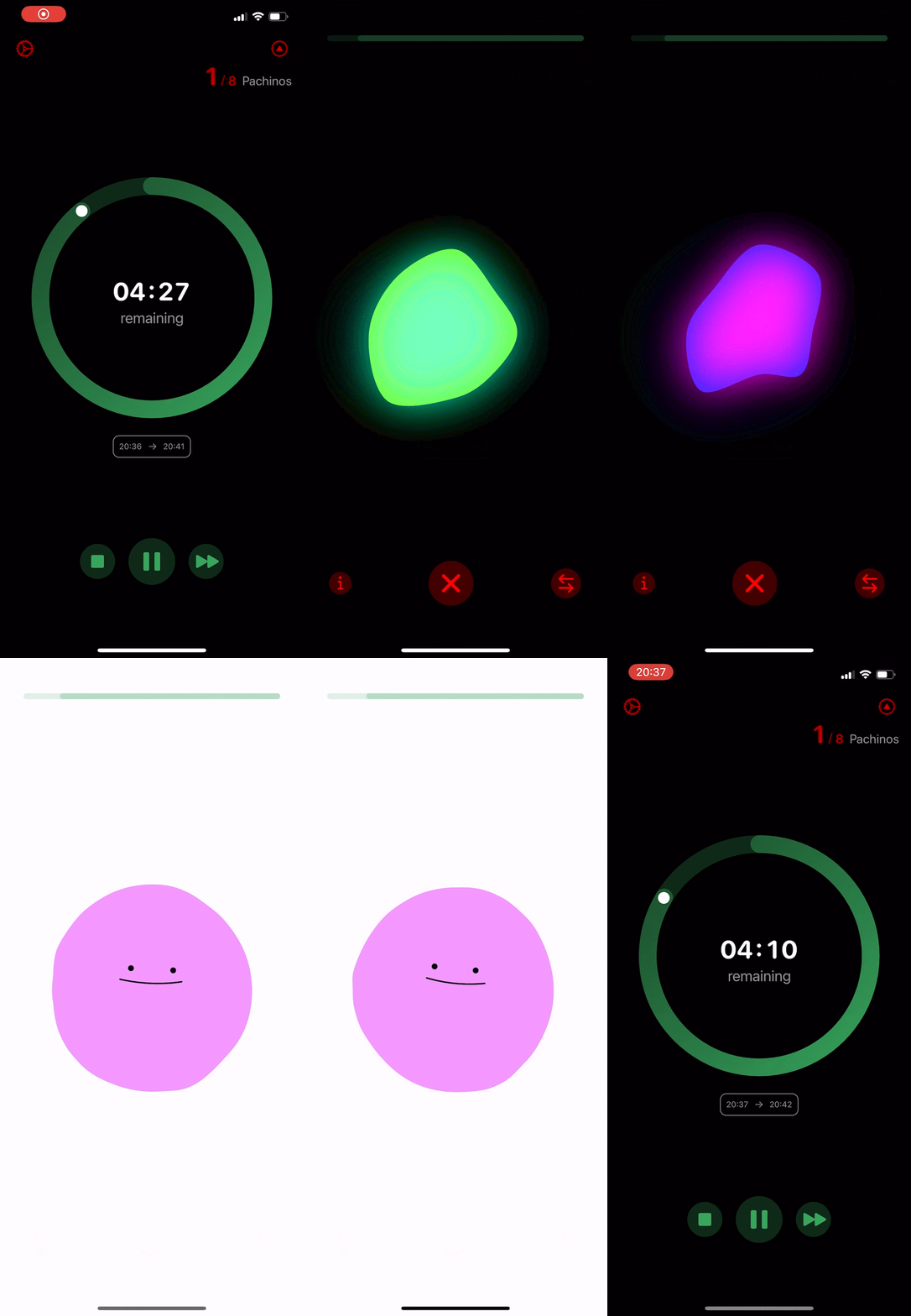
Breaks needed a different atmosphere from focus sessions. I explored generative visuals with Metal and GLSL, then used p5.js to prototype them quickly in the browser.
The resulting zen mode pairs changing graphics with a quiet time display and hides the iOS status bar for a more immersive break. It gave the visual experiments a purpose within the timer's routine.
Share Views, Adapt the Platform Experience
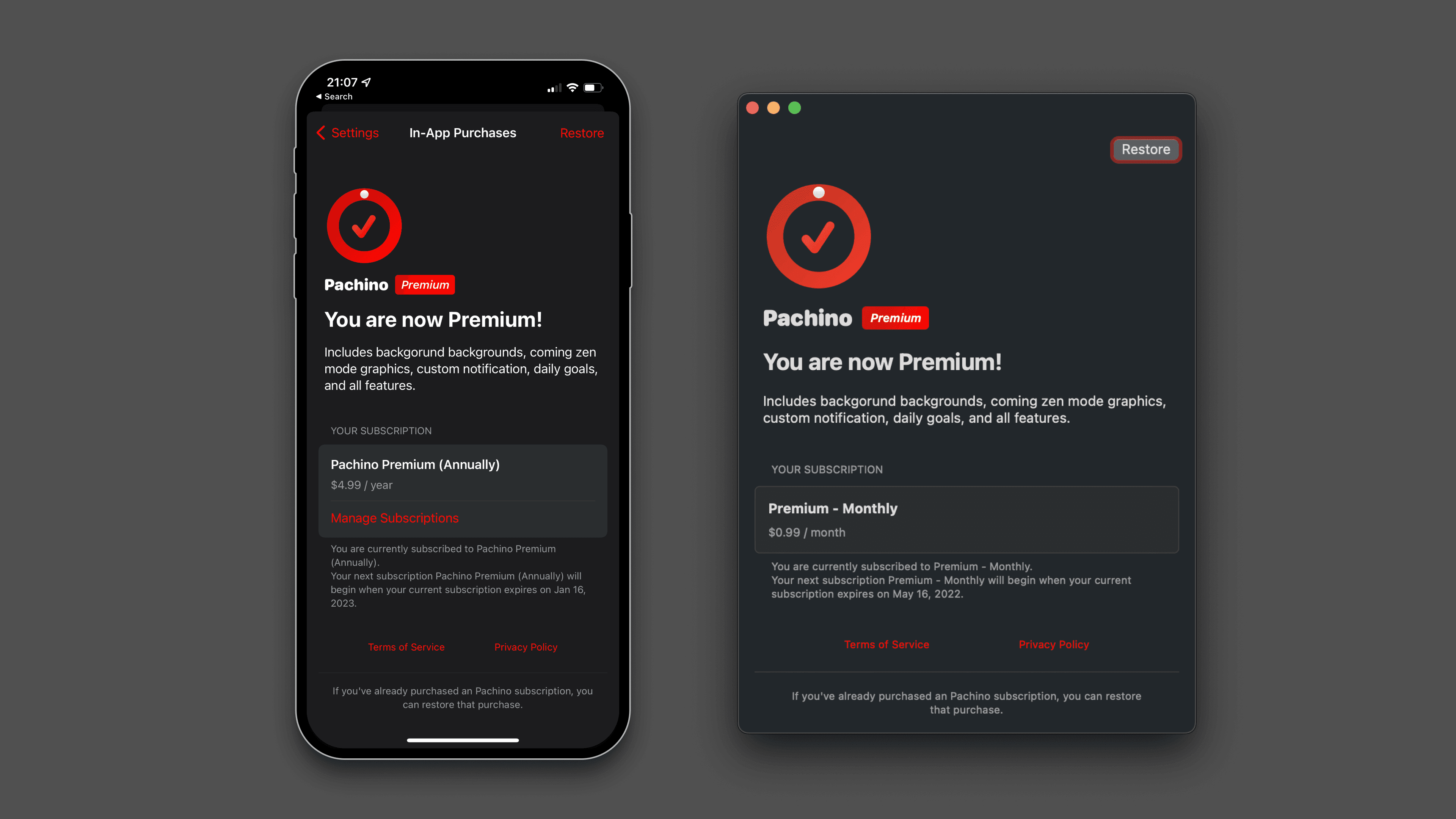
I chose to build a dedicated macOS app rather than rely on Catalyst alone. Separating shared content from its platform-specific container let me reuse core views while adapting the surrounding experience to each device.
The purchase interface demonstrates that separation: the same view and code sit within different platform containers.
On macOS, multi-window support makes use of the larger screen. A menu bar extra keeps the timer within reach while the main window is closed or out of the way.
Make Sound Part of the Routine
Ambient audio became another part of the experience. After trying options with friends, I added café, subway, ocean, rain, metronome, and seasonal sounds alongside white noise.
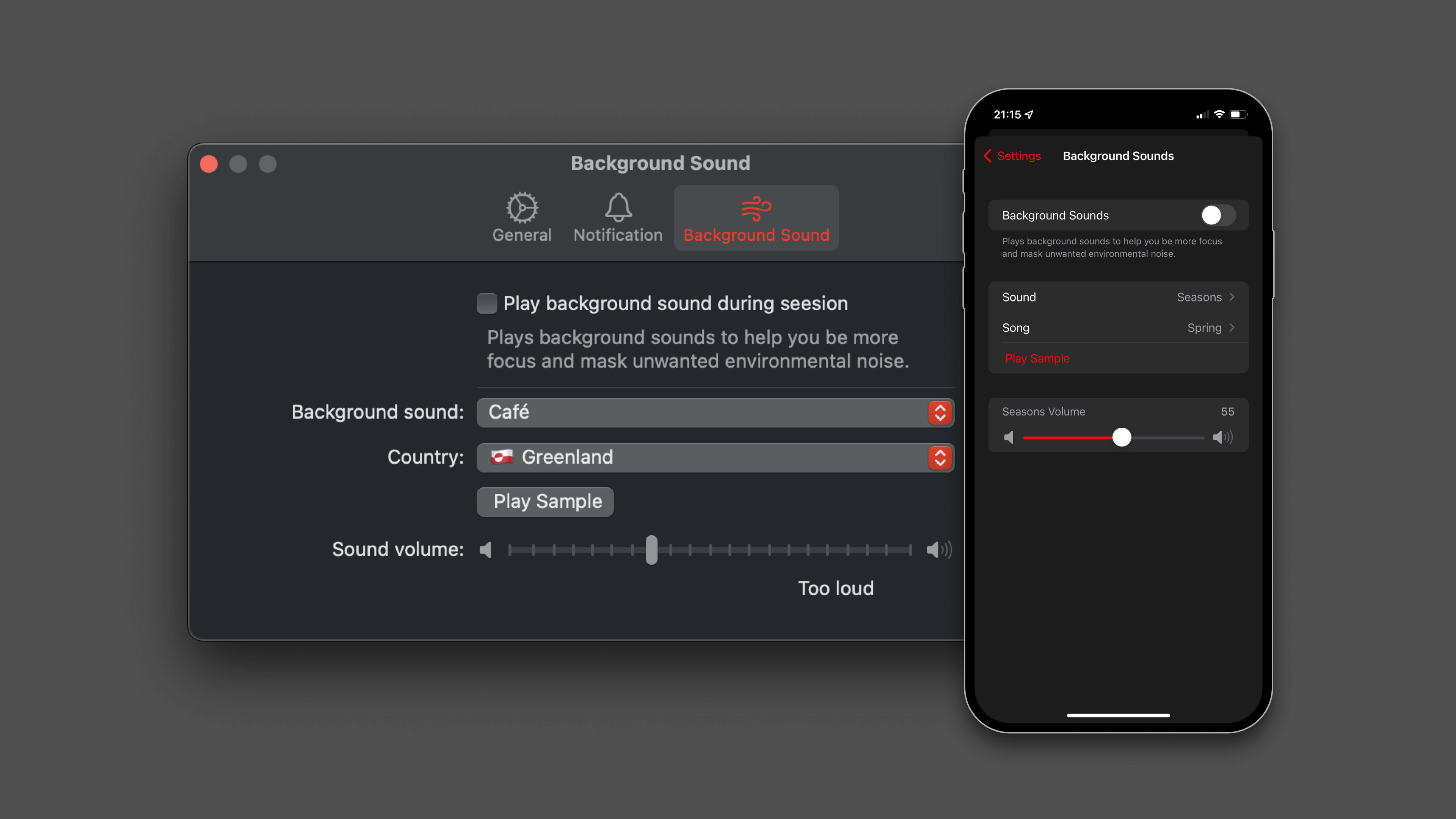
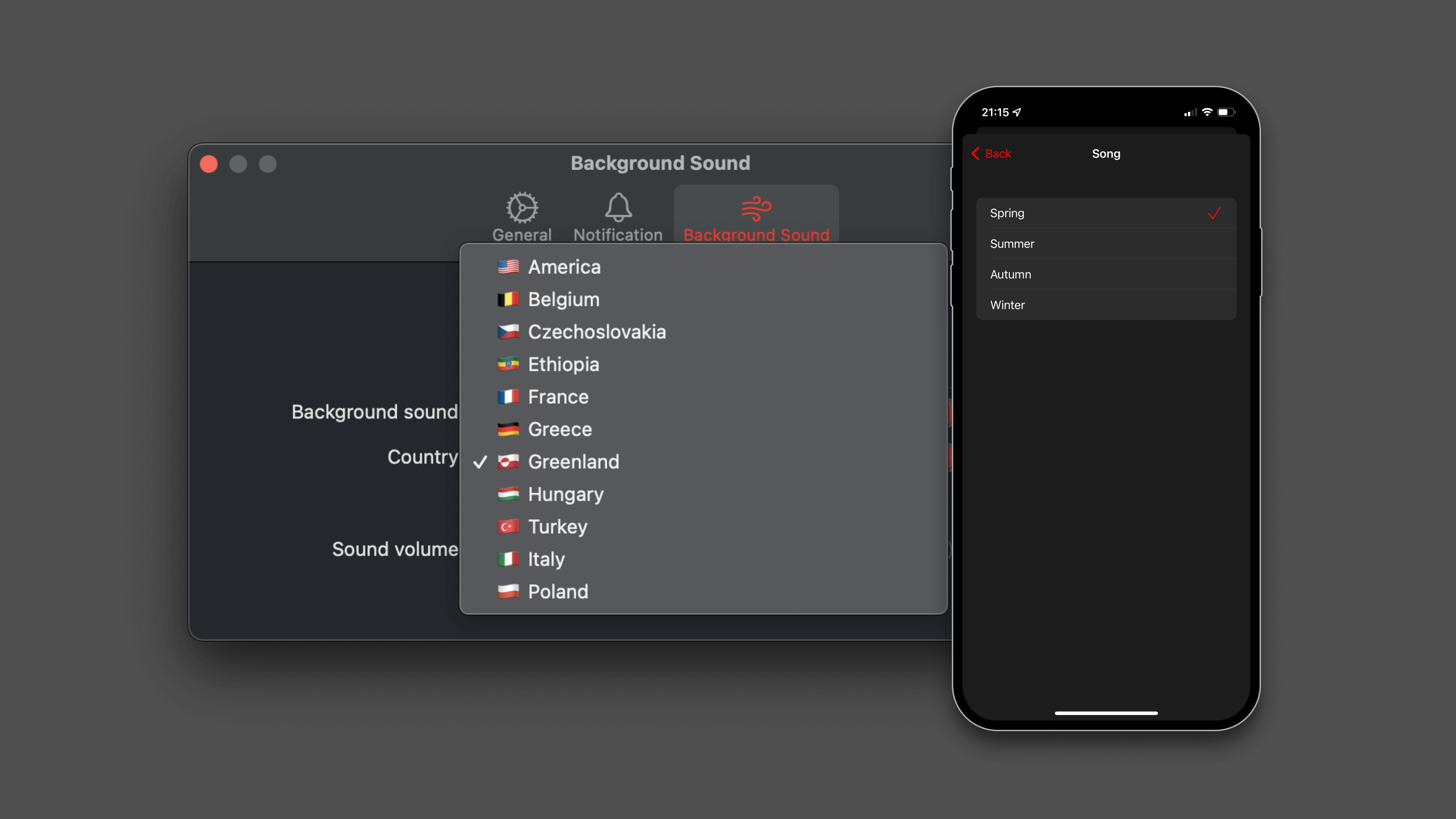
During the travel restrictions of 2021, recordings from cafés in 11 countries offered a small sense of being elsewhere. I also added seasonal soundscapes while developing the app in winter; my cat became an enthusiastic listener to the spring birdsong.
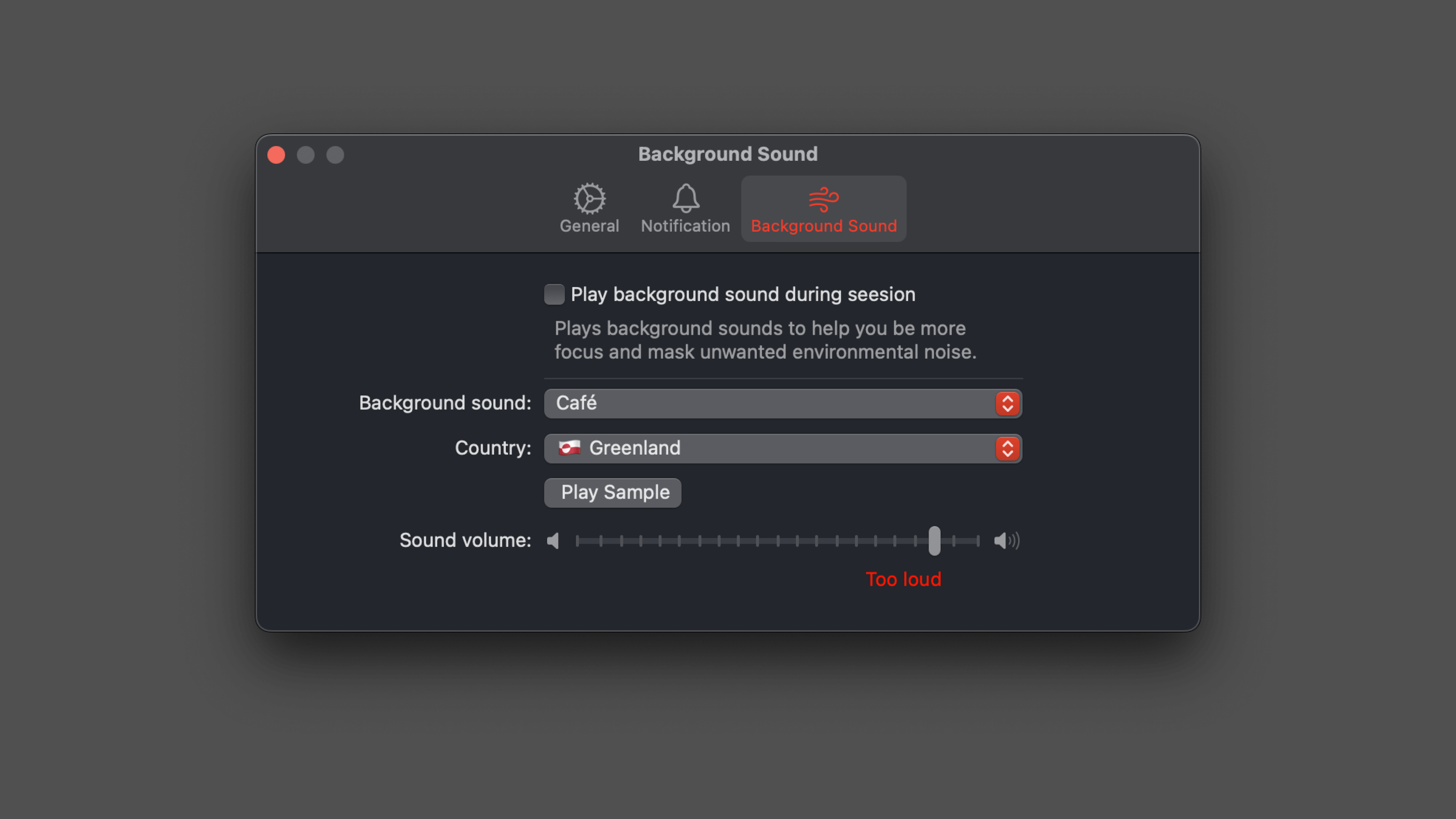
A high-volume indicator provides a visible prompt to turn the audio down.
Outcome and Next Direction
The result was a released focus timer for iOS and macOS, with daily goals, zen visuals, ambient audio, and a platform-specific Mac experience. The project connected interaction design and implementation through a tool I could use in my own workday.
Its central design lesson was to give each addition a clear place in the routine: timing supports focus, visuals mark a change of pace, and audio remains a choice.
I am now exploring a task-planning and focus workflow for Pachino. That exploration is separate from the released timer shown here.